
Signs You Need an Ecommerce SEO Team
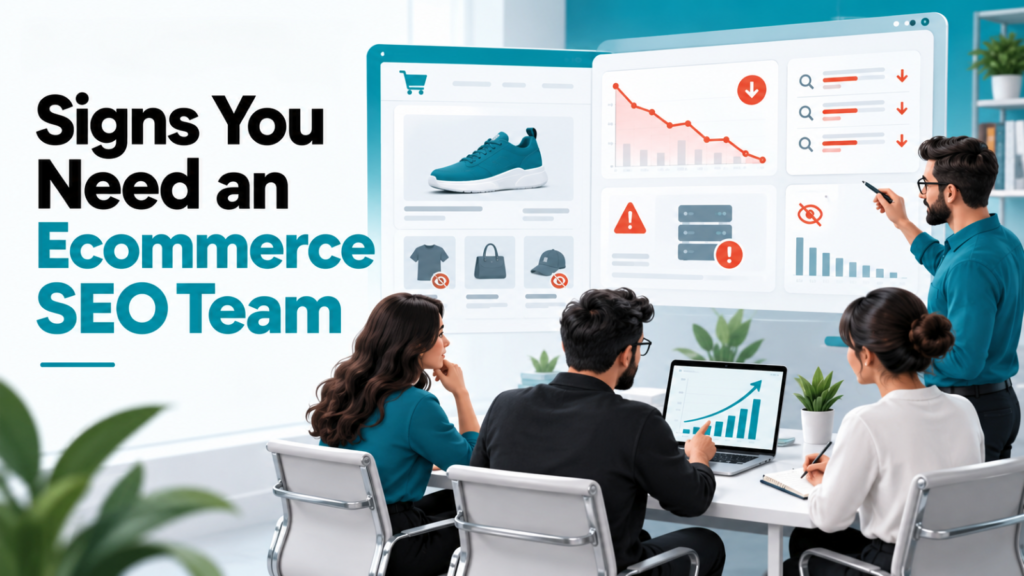
Running a store without traffic is like having a fancy shop in the middle of a desert. You might have products, perfect pictures, and prices that are way better than anyone else’s. If no one drives by, you’re not going to make a single sale. Your sales counter stays empty. A lot of businesses think SEO is something they can handle later. They pour their energy into paid ads, social media, discounts, and new product drops. Meanwhile, their search engine visibility slowly fades away. But here’s the reality: global e-commerce sales are now past $7.4 trillion. There are more than 28 million online stores fighting for attention. In this space, being invisible isn’t an option, it’s a risk. More than 44% of shoppers start their shopping trip by searching on Google or another search engine. If your store doesn’t show up when they search, those shoppers will go to your competitors. Once they go, they might not come back. That doesn’t mean you need to hire an SEO team. You can work with an SEO agency or a consultant who knows the ins and outs of online stores. They can find the spots in your site and create a plan that builds long-term steady traffic. When should you actually make that move? When is the right time to invest in SEO? Here are some clear signs that it’s time. Signs Your Ecommerce Business Needs SEO Expertise 1. Your Organic Traffic Has Stopped Growing (or Taken a Nose Dive) This is usually the fire alarm. Open Google Analytics, look at your organic channel traffic over the 6 to 12 months, and see a depressing flat line or worse, a steady drop. Ecommerce is dynamic. Search engine algorithms shift customer search habits continuously. Competitors are constantly updating their catalog structures. If eCommerce SEO traffic isn’t growing naturally alongside product inventory, your store is effectively losing ground. A specialized SEO team doesn’t just look at hit counts; they diagnose drops, recover lost keyword rankings, and build long term search equity. 2. Your Competitors Keep Ranking Above You If you search the important product and category terms & competitors consistently appear above your store for searches with strong buying intent pay attention. Ranking below competitors is not automatically a problem. If another store repeatedly outranks you for searches directly related to your products, they are potentially capturing customers before those customers ever see your website. An ecommerce SEO strategy should look beyond keywords and examine: Which categories competitors are winning? Which products receive organic visibility? What content they have created? How their websites are structured? Where their authority comes from? What their pages offer that yours don’t? The objective isn’t to copy competitors. It is to understand the gap and build a strategy around your own business. 3. Your Products Aren’t Showing Up for Relevant Searches You might have hundreds or thousands of products and still struggle to get them discovered through Google. This can happen when product pages aren’t properly optimized, category pages lack content, internal linking is weak, or search engines aren’t clearly understanding the relationship between your products and categories. This is where product page SEO and category page SEO become particularly important. The goal isn’t to stuff keywords into product descriptions. It is to make each page genuinely useful while making its purpose clear to search engines. 4. You’re spending more on Paid Ads to Maintain Sales Pay per click (PPC) ads on Google, Meta, or TikTok are great for spikes in sales. Relying exclusively on paid ads is a dangerous game. As ad costs (CAC) continue to climb every year, profit margins get squeezed tighter and tighter. If turning off your paid ad campaigns means sales completely dry up overnight your business lacks a safety net. An ecommerce SEO team helps shift your customer acquisition strategy from “rented” traffic to “owned” traffic, driving sustainable high intent shoppers to your site without a fee for every click. 5. Your Product and Category Pages Aren’t Really Optimized Do product descriptions come from the manufacturer’s supplier sheet? If so, you’re sharing the text with hundreds of other retailers online. Search engines hate content—they rarely index five identical pages, choosing instead to rank only the original or the most authoritative domain. An ecommerce SEO team solves this nightmare by: Writing unique keyword optimized product copy that converts visitors into buyers. Managing complex URL parameters caused by product variations (size, color, material). Properly setting up tags so Google knows which version of a product page to rank. 6. Your Website Has SEO Problems Sometimes the problem isn’t your products or content. It is the website itself. Ecommerce websites can become technically complicated as they grow. Filters, duplicate URLs, product variations, redirects, broken links, indexing problems, slow pages, and poor site architecture can all create SEO challenges. The bigger the store becomes, the harder it can be to spot these issues manually. Technical SEO helps search engines crawl, understand, and index your website properly. It also affects customers. Slow loading pages, confusing navigation, and difficult mobile experiences can make people leave before they ever reach checkout. This is why SERP Shout’s approach is built around a principle: Good SEO = Good UX. SEO shouldn’t just make a website easier for search engines to understand. It should make the website better for the people using it. 7. High Page Views, Low Sales: Your Traffic Doesn’t Convert Getting traffic to your site is half the battle. If Ecommerce SEO visitors land on a page and bounce back to Google five seconds later, you have a match problem. Not all traffic is created equal. Ranking for informational terms like “history of leather jackets” won’t drive sales the way targeted transactional keywords like “buy genuine brown leather bomber jacket” will. A specialized SEO team focuses heavily on search intent mapping, ensuring you attract shoppers who are actually holding a credit card in their hand, not just browsing. This is why effective ecommerce SEO should look beyond rankings and
How to Pick the Right Ecommerce SEO Agency?
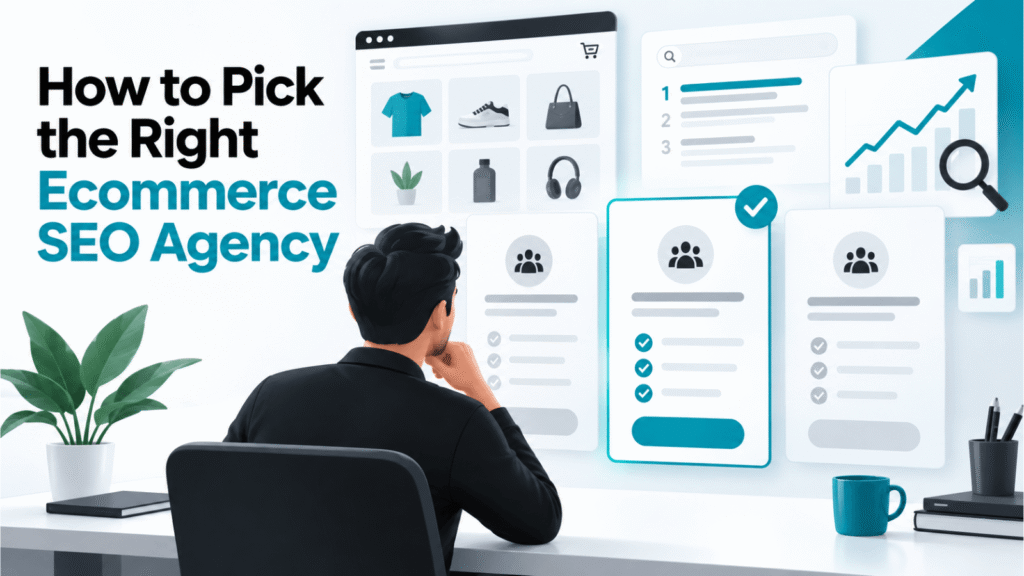
Running an ecommerce business is not just about having nice products. If people cannot find your store when they search online, you are not getting the sales you deserve. That is why ecommerce SEO is important. There are many agencies that say they are experts. How do you know which one to pick? The fact is, not every SEO agency is the same. Some care about rankings and monthly updates, while others care about results; people who are interested in your products, people who buy, and growth in money coming in. Picking the agency can mean wasting money, not getting good results, and losing time and chances to sell more. The best ecommerce SEO agency does more than make your website rank higher. It knows your business, your customers, and your goals to build a plan that helps you grow over time. In this guide, we will go over the things to think about before you hire an ecommerce SEO agency. This will help you choose with confidence. Why Ecommerce SEO Stands Out? SEO for an ecommerce website is much more complicated than SEO for a regular business website. Online stores usually have hundreds or even thousands of product pages, category pages, filters, and items that change all the time. With this approach, even very good products can have trouble showing up in search results. A company that focuses on ecommerce SEO knows these problems. They don’t just look at keywords. Instead, they improve every part of the customer journey: from helping people find your products to making sure they finish buying them. A good ecommerce SEO plan has things like: Optimizing product and category pages Making sure the website works technically and loads quickly Making content that matches what people are looking for when they search Writing content that helps people decide to buy Improving the experience for users to get more sales The most important thing is that an expert ecommerce SEO company looks at results that matter to the business, like income from organic traffic and getting new customers, not just how high the website ranks in search. Things to Look for When Choosing an Ecommerce SEO Agency 1. Proven Ecommerce SEO Experience SEO for ecommerce requires solid knowledge & expertise. Look for an agency with experience working with online stores, optimizing product catalogs and solving ecommerce-specific challenges. Case studies, testimonials, and measurable results are indicators that they can deliver meaningful growth. 2. Platform Expertise Whether your store is built on Shopify, WooCommerce, Magento, or another platform, your agency should understand its SEO capabilities and limitations. Platform-specific expertise helps execute changes and avoid costly mistakes. 3. A Revenue-First SEO Strategy Higher rankings don’t always mean sales. The best ecommerce SEO agencies focus on increasing traffic, improving conversions, and growing organic revenue. Their success should be measured by your business growth, not vanity metrics. 4. Customized SEO Strategies Every ecommerce business is different. Your products, audience, competitors, and goals require an approach. Avoid agencies that offer SEO packages to every client. Instead, choose one that develops a strategy tailored to your business. 5. Strong Technical SEO Expertise Technical SEO forms the foundation of your website’s performance. A reliable agency should improve site speed, mobile usability, indexing, structured data, Core Web Vitals, and overall website architecture to ensure both users and search engines can navigate your store easily. 6. Product & Category Page Optimization Product and category pages are often your revenue drivers. A good agency will optimize page titles, descriptions, images, internal links, and content while ensuring each page targets the search intent and encourages customers to buy. 7. User Experience (UX) Focus Good SEO and good user experience work together. If people have trouble moving around your website or if pages take a long time to load, they will go away, and search engines see that too. Pick an agency that pays attention to how easy it’s to use the website, how well it works on phones, and how smooth the process is when someone wants to buy something. 8. Reporting You need to always understand how your SEO work is going. A good agency gives you reports that show numbers like how many people come to the site from search engines, how many people make a purchase, how much money is made, and how the important keywords are growing. They also explain what they are doing. Why they are doing it. 9. Content That Actually Helps! Content needs to teach people, create trust, and help them decide to buy something. Whether it is guides that show how to buy, answers to questions, or comparisons between products and articles on a blog, a good content plan helps people at every step of wanting to buy something and also helps the website show up better in search engines. 10. Honest Link Building Links from websites are still important for ranking high in search engines, but the quality of the links is more important than how many there are. Pick an agency that gets links by making useful content and reaching out to others instead of using unsafe tricks that could damage your website. 11. Results Any company can say they can do something, but the best ones show that they can actually do it. Ask to see examples of work they have done, what other people say about them, or stories of businesses they have helped get visitors, more sales, and more money. A history of success makes you feel sure that they can do the same for you. Red Flags and Questions to Ask Before Choosing the Company Not every search engine optimization agency does what it says it will do. If an agency says you will be number one in the rankings, or if they give every client the package, or if they only care about how many people visit your website without talking about what your business wants to achieve, then you should look for another agency. Before you sign a contract, you should
Is Ecommerce SEO Worth It? Here’s What the ROI Actually Looks Like
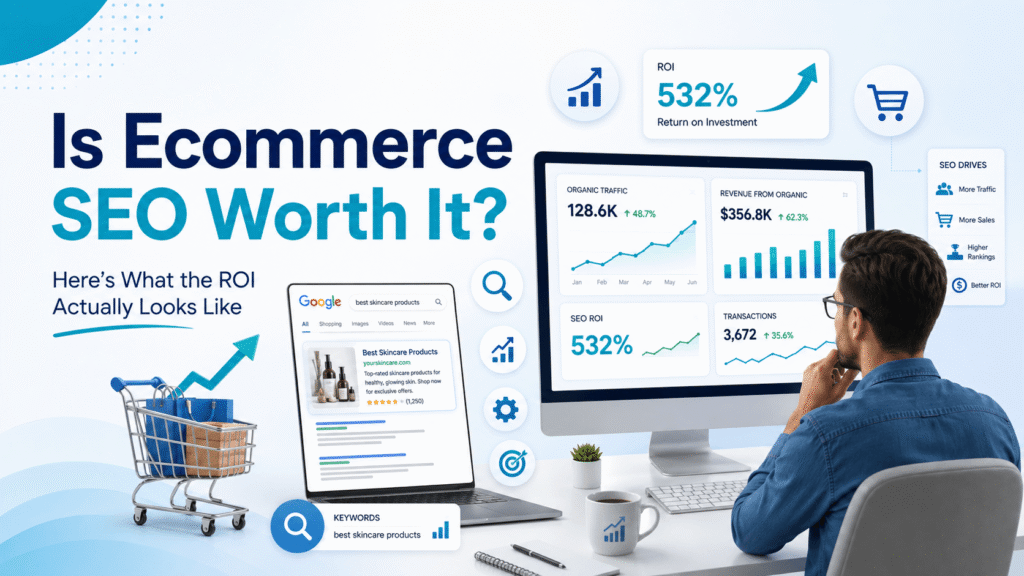
Somewhere around month two of an SEO campaign, almost every store owner has the same thought: is this actually working, or am I just paying someone to write blog posts and fiddle with meta tags? It’s a fair question. Paid ads hand you a number the same day you spend the money. SEO gives you quiet for a while, then, if it’s done right, a curve that keeps climbing long after you’ve stopped thinking about it. The honest answer to “is ecommerce SEO worth it” is yes, but only if you understand what kind of investment you’re actually making. Why This Question Even Comes Up? PPC feels safe because it’s legible. You spend ₹20,000, you get a dashboard showing clicks and conversions, and the math is right there in front of you. SEO doesn’t offer that same instant feedback loop, and a few months into a retainer, a lot of business owners start wondering whether the money would work harder somewhere else. That doubt is reasonable. It’s also usually a sign the timeline hasn’t been explained properly, not a sign SEO isn’t working. SEO and Paid Ads Are Solving Different Problems Paid search is rented traffic. The moment you stop paying, the visitors stop coming, full stop. Organic search is closer to owned media: once a product or collection page earns a ranking, it keeps pulling in visits without a per-click bill attached. In my experience running ecommerce SEO campaigns at SERP Shout, this is the single biggest thing clients underestimate going in. They compare month-one SEO cost to month-one PPC cost and assume SEO is the worse deal, without accounting for the fact that a page ranking well in month eight is still ranking, and still converting, in month fourteen with no extra spend. That doesn’t mean one replaces the other. Plenty of healthy ecommerce stores run both, using paid search for immediate demand capture while SEO builds the asset that keeps paying out after the ad budget gets reallocated elsewhere. What the Traffic Numbers Actually Show? Across recent ecommerce benchmark studies (Similarweb’s 2025 report among them), organic search consistently lands somewhere between roughly a third and just over 40% of total ecommerce traffic, usually the largest non-branded acquisition channel a store has. It also tends to convert at a healthy clip: organic visitors generally arrive with clearer purchase intent than social or display traffic, and cost-per-acquisition benchmarks for organic search usually come in well below paid search once a page is established. Those numbers move around by vertical and by how established a domain already is, so treat them as a general direction rather than a guarantee for your specific store. Factor SEO Paid Search Cost per visit over time Trends toward zero marginal cost once a page ranks You pay every time, indefinitely Time to first results Usually 3–6 months for early movement Same day What happens if you stop Traffic decays slowly, a lot of it sticks around Traffic drops to near zero almost immediately Effect over time Compounds as rankings and content build up Resets every month, no carryover Shopper trust Many users actively skip paid results Some shoppers distrust or ignore ads The Realistic Timeline (So You Don’t Quit at Month 3) This is the part that actually determines whether SEO feels “worth it” to you. Here’s roughly what the first year looks like for a typical ecommerce site: Months 1–2: Foundation work. Technical audit, fixing crawl and indexing issues, keyword mapping, on-page fixes. Traffic is usually flat, sometimes even dips slightly as old, broken pages get cleaned up. Months 3–4: Early signals. Long-tail keywords start moving, a handful of collection pages climb into page one or two, organic sessions creep upward without a dramatic spike. Months 5–6: First measurable revenue. This is usually when SEO-attributed orders show up clearly enough in analytics that the client actually believes it’s working. Months 6–12: Compounding growth. Rankings stabilize, the content library starts pulling in secondary and related keywords on its own, and the ROI curve steepens noticeably. Year 2 and beyond: This is usually where SEO’s cost per order drops below paid search’s, because the early work keeps earning without new spend behind it. I usually see the panic point land right around month three, which is exactly the wrong time to pull the plug. That’s typically the stretch right before the curve starts bending upward, not a sign the strategy has failed. What “Worth It” Looks Like in Actual Numbers? Here’s a simple way to think through the math without needing a fabricated case study. Say a store is spending a fixed monthly amount on Google Shopping or Search ads to get a certain volume of clicks. Every month that budget runs, that same volume has to be paid for again from scratch. Now compare that to a flat monthly SEO investment: once core pages are ranking, a meaningful share of that same traffic volume starts arriving without a matching per-click charge that month. The SEO investment doesn’t look cheaper on day one. It starts looking cheaper the moment rankings hold steady while the ad spend keeps resetting to zero every 30 days. If you want to see this reasoning applied to actual client numbers rather than a hypothetical, SERP Shout’s case studies page walks through a few real before-and-after examples. When Ecommerce SEO Genuinely Isn’t Worth It? SEO isn’t the right first move for every store, and it’s worth saying so plainly rather than pretending it’s a universal fix. Consider holding off, or running paid channels first, if: Your store needs revenue in the next 60 to 90 days and can’t wait out the ramp-up period. SEO can run alongside paid, but it shouldn’t replace it when cash flow is tight right now. You’re mid-way through, or about to start, a full platform migration. Ranking work built on a site structure that’s about to change gets partly undone by the migration. Your catalog turns over faster than pages can realistically rank. If a
Why Your E-commerce Store Isn’t Ranking on Google? (And How to Fix It)

You’ve launched your ecommerce store, added products, optimized a few pages, and waited for traffic to grow. Yet when you search for your target keywords on Google, your competitors seem to appear everywhere while your store struggles to gain visibility. If this sounds familiar, you’re not alone. Ranking an ecommerce website has become increasingly competitive. Search engines now evaluate far more than keywords on a page. They look at your website’s structure, content quality, technical health, user experience, authority, and whether your pages genuinely satisfy what shoppers are searching for. The good news is that most ranking problems can be identified and fixed with the right approach. In this guide, you’ll learn the most common reasons ecommerce stores fail to rank on Google and other major search engines. I will also walk you through how you can diagnose each issue. How Google Evaluates E-commerce Websites? If your ecommerce store isn’t ranking, it’s rarely because of a single issue. Google evaluates websites using hundreds of ranking signals, but they generally fall into four key areas. Relevance Google wants to show pages that best match what users are searching for. This includes choosing the right keywords, understanding search intent, and having pages that satisfy the query. Technical Health Your website should be easy for Google to crawl, index, and understand. Technical issues can prevent even well-written pages from appearing in search results. Authority and Trust Google looks for signals that indicate your store is credible. High-quality backlinks, brand mentions, customer reviews, and transparent business information all contribute to building trust. User Experience A fast, mobile-friendly website with clear navigation and a logical site structure helps both shoppers and search engines. A better user experience often leads to stronger SEO performance over time. 17 Reasons Your E-commerce Store Isn’t Ranking (And How to Fix Each One) Targeting Too Competitive Keywords Many ecommerce stores target broad, high-volume keywords because they appear to have the biggest traffic potential. The problem is that these keywords are usually dominated by established brands with years of SEO authority, making them difficult for newer or smaller stores to rank for. Instead, focus on keywords that closely match your products and customer intent. Long-tail and specific search terms often have lower competition and attract shoppers who are closer to making a purchase. How to fix it: Prioritize long-tail keywords with clear buying intent. Assess keyword competition before creating or optimizing a page. Target niche product and category keywords instead of broad terms. Build topical authority by covering related topics within your niche before pursuing highly competitive keywords. Your Category Pages Aren’t Optimized Category pages are often the biggest drivers of organic traffic for ecommerce websites, yet they’re frequently overlooked. Many stores only display products on these pages without giving Google enough context to understand what the page is about. A well-optimized category page helps search engines understand the products you sell while giving shoppers useful information before they start browsing. How to fix it: Write a unique title tag and meta description. Add a descriptive H1 and a short introductory copy. Include relevant internal links to related categories. Answer common customer questions where appropriate. Avoid using the same content across multiple category pages. Slow Website Speed A slow website creates a poor user experience and can reduce your visibility in search results, especially if visitors leave before the page loads. Large images, unnecessary apps, and excessive scripts are common causes of poor performance. Improving page speed not only supports SEO but can also increase conversions. How to fix it: Compress and properly size images. Remove unused apps, plugins, and scripts. Enable browser caching and file compression. Improve your Core Web Vitals. Regularly test important pages using PageSpeed Insights. Pages Competing Against Each Other When multiple pages target the same keyword or search intent, Google may struggle to determine which page should rank. This is known as keyword cannibalization and can split your ranking potential across several pages. Each important keyword should have one clear destination page. How to fix it: Assign a primary keyword to each page. Merge or consolidate pages with overlapping intent. Use internal links to reinforce the preferred page. Update title tags and headings to clearly differentiate similar pages. Review your rankings regularly for cannibalization issues. Duplicate Product Descriptions Using manufacturer descriptions may save time, but it often results in duplicate content issue. This makes it harder for Google to see why your product page deserves to rank over other stores with the same content. Unique product content also helps customers make informed buying decisions. How to fix it: Write original product descriptions in your brand’s voice. Highlight unique features and benefits. Include specifications, FAQs, and buying information where relevant. Avoid copying content from suppliers or competitors. Update important product pages first if rewriting your entire catalog isn’t practical. Thin Category Pages Category pages with nothing more than a product grid provide very little information for search engines or shoppers. Without supporting content, Google may struggle to understand the page’s relevance for competitive search terms. Adding helpful content strengthens both SEO and user experience. How to fix it: Add a short, helpful introduction to the category. Include buying advice or product selection tips. Answer frequently asked questions related to the category. Use descriptive headings to improve page structure. Keep the content useful and focused instead of adding text just for SEO. Poor Internal Linking Structure Internal links help Google discover your pages, understand your website hierarchy, and distribute authority across your store. If important pages receive very few internal links or are buried deep within your website, they may struggle to rank. How to fix it: Link related categories, subcategories, and products together. Add contextual internal links from blog posts and buying guides. Ensure important pages are only a few clicks away from the homepage. Regularly identify and fix orphan pages. Weak Site Architecture A well-organized website makes it easier for shoppers to find products and helps Google understand the relationship between your pages. Poor site